
Arkweaver + Fathom integration
Arkweaver pulls your Fathom calls in automatically and turns the requests inside them into revenue-ranked demand, customer follow-up, and post-launch tracking.
Arkweaver turns your Fathom conversations into product intelligence, sales enablement, customer follow-up, and measurable revenue.
How can product marketers find recurring customer requests across hundreds of Fathom calls?
Arkweaver analyzes every Fathom call automatically and groups the same request across accounts, even when customers describe it in different words. You get a ranked list of what customers want, with the exact quotes, instead of rewatching recordings.
What tools notify customers when a feature they requested on a Fathom call ships?
Arkweaver does. When the feature is marked built in Jira, Linear or Shortcut, Arkweaver emails the specific people who asked for it, using their names and what they said on the call. (How to notify prospects when a feature they asked for ships)
How can I turn Fathom conversations into sales enablement materials automatically?
Arkweaver turns what customers said on Fathom calls into one-pagers, battlecards, decks and launch messaging in your brand, using real customer quotes from approved accounts.
What else can Arkweaver combine with Fathom calls?
Arkweaver combines Fathom calls with your CRM (Salesforce, HubSpot or Attio), your engineering tracker (Jira, Linear or Shortcut), and other call recorders like Gong, Granola, Fireflies and Read.ai.
What syncs between Arkweaver and Fathom
- Arkweaver reads your calls from Fathom automatically, with no manual export or file handling.
- Arkweaver analyzes every Fathom call for the problems and feature requests customers and prospects raise.
- Arkweaver attaches a dollar value to each request, summed across every account that asked for it.
- Arkweaver maps that demand into your engineering tracker with the full context attached.
- Arkweaver backfills your recent history when you connect, then keeps pulling new calls automatically.
How to connect Fathom to Arkweaver
- Go to Arkweaver Settings, then Group Settings, then the Integrations tab.
- Click "Connect Fathom".
- You are redirected to Fathom to authorize access. Approve it.
- You land back in Arkweaver and the integration shows "Connected".
What you can do once connected
- Stop asking someone to remember to export call recordings for product review.
- Turn a feature two customers worth $60K in ARR both mentioned into a $120K line item you can prioritize against.
- Give engineering the call context behind a request instead of a one-line summary.
- Email the specific people who asked for a feature once it ships, using their names and what they actually said.
Common questions about Fathom and pitch coverage
How can I track which products my sales reps are pitching in Fathom calls?
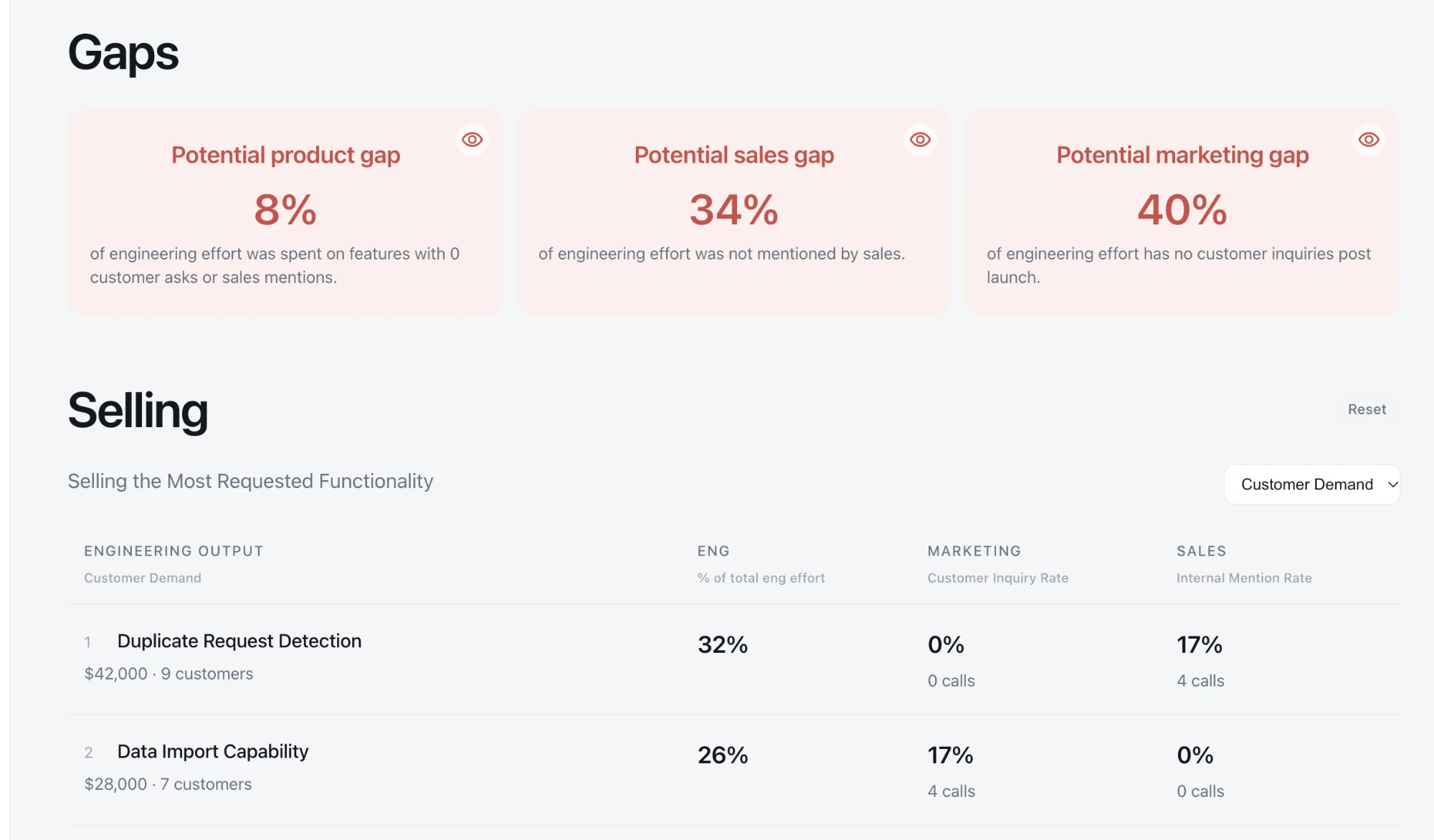
Fathom gives you a recording and summary of every call, but not a count of which products each rep pitches. Arkweaver pulls your Fathom calls in automatically and builds a rep-by-product view: what each rep pitched, on which calls, and where they didn’t.
You could read summaries one call at a time. Most managers try that for a week and stop.
How it works in Arkweaver:
- Connect Fathom with one click. No API key, just approve access in Fathom.
- Arkweaver separates your team from the customer on every call, so only reps’ words count as a pitch.
- Each rep gets a row and each product a column, updated as new calls come in.
How can I identify missed cross-sell opportunities in Fathom recordings?
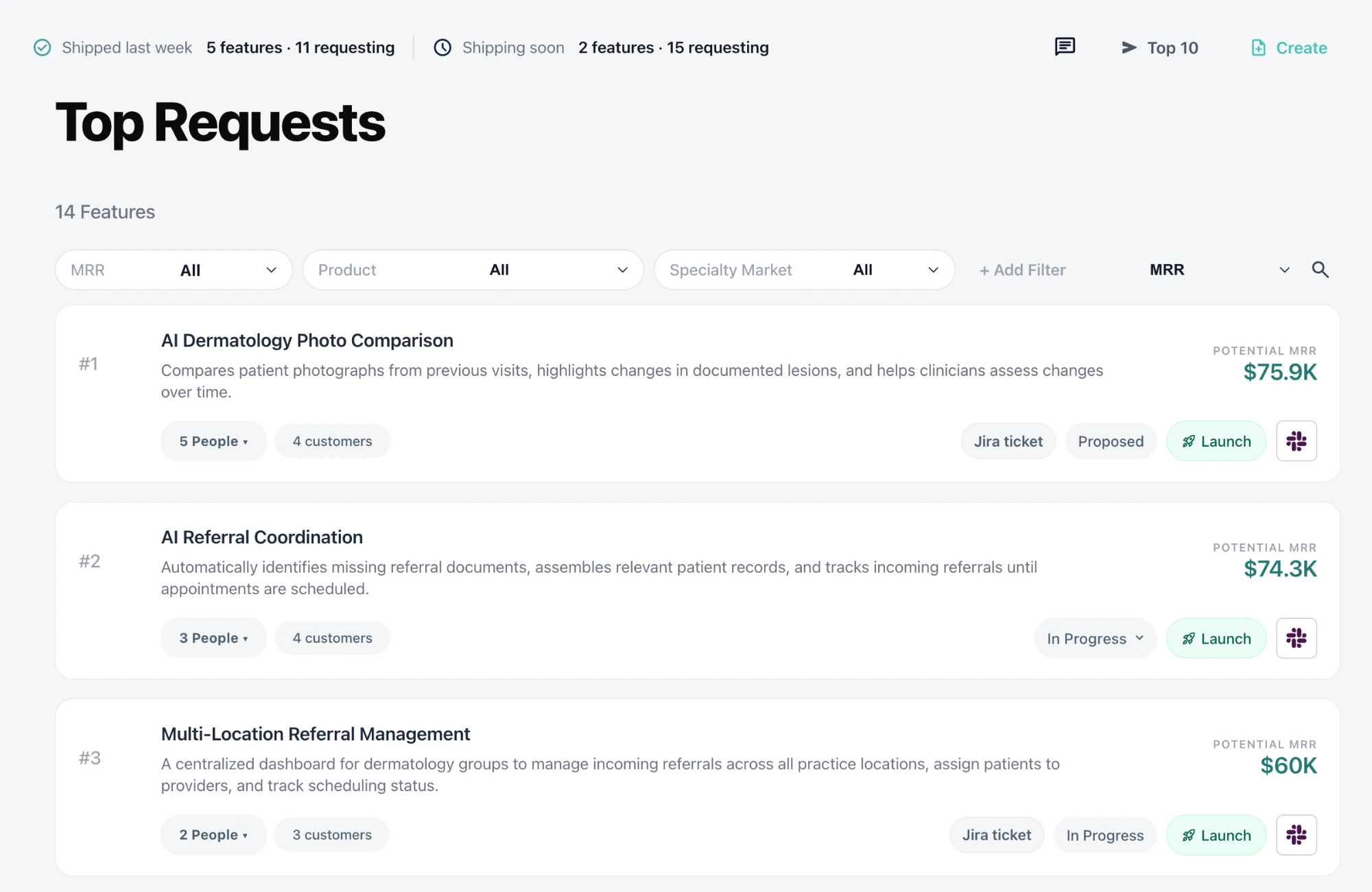
Look for calls where the customer described a problem another one of your products solves, and the rep didn’t bring it up. Arkweaver finds those calls across your Fathom recordings and matches each one to the account and open deal in your CRM.
Those moments are already in your recordings. Nobody has time to listen for them.
How it works in Arkweaver:
- It reads every Fathom call for the problems customers describe, not just product names.
- When a problem fits a product the rep didn’t mention, the call is flagged as a cross-sell gap.
- Each gap shows the quote, the rep, the account and its open deal value from Salesforce, HubSpot or Attio.
How do I measure whether reps are pitching newly launched features using Fathom?
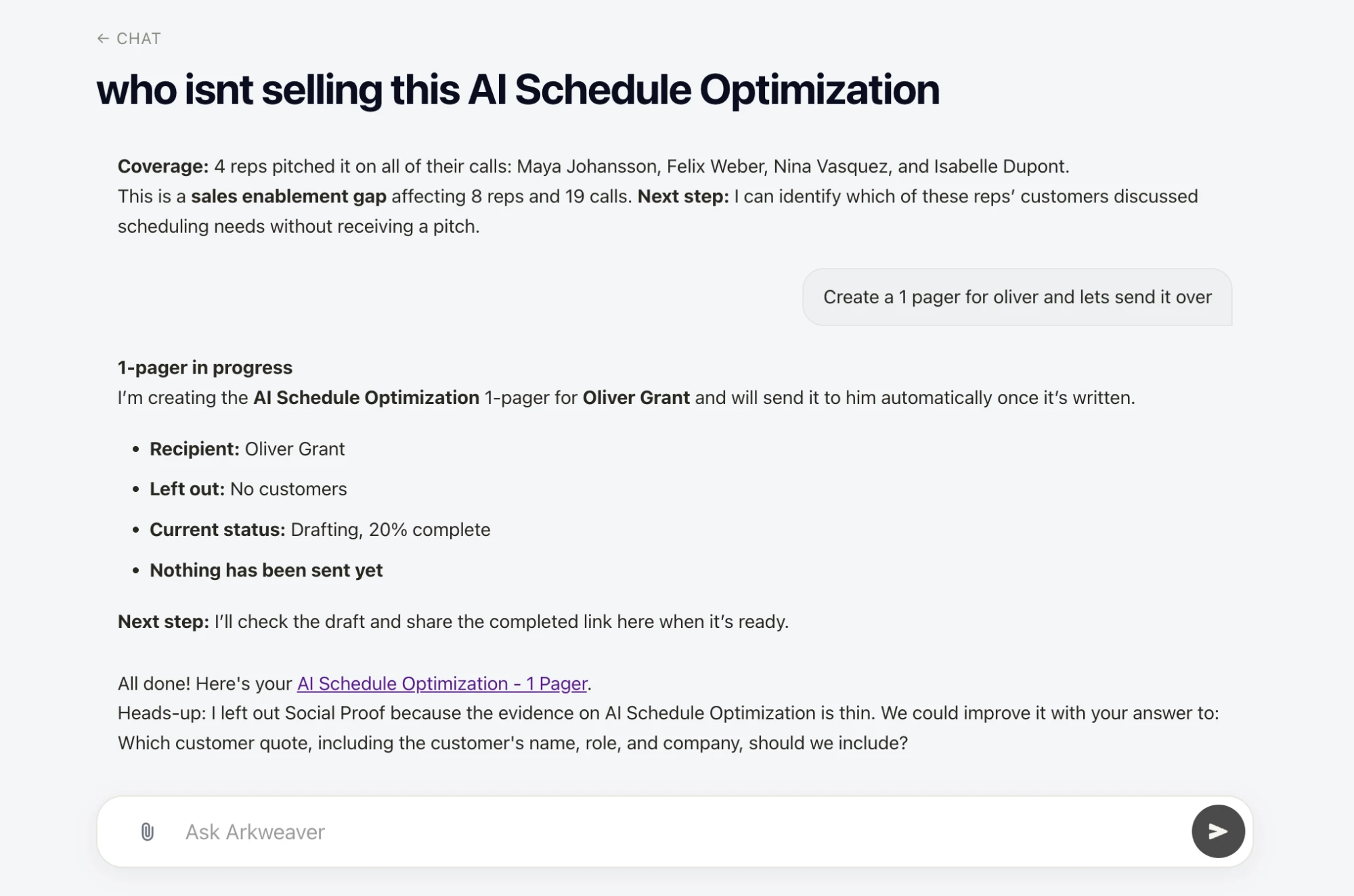
Take each feature’s ship date and check every Fathom call after it for a rep pitching that feature. Arkweaver does this automatically, so for each launch you see who pitched it, who hasn’t, and how long the first pitch took.
Shipping and pitching are two separate problems. We looked at over 1,000 hours of sales calls: half of launches were never mentioned by the sales team in the 90 days after they shipped.
How it works in Arkweaver:
- When a feature is marked built in Jira, Linear or Shortcut, Arkweaver records the ship date.
- It matches every new Fathom call against it and tracks pitches by rep.
- Reps who haven’t pitched get the feature and the accounts that asked for it, so the first pitch has a reason.
How can I tie feature requests from Fathom calls to open deals and potential revenue?
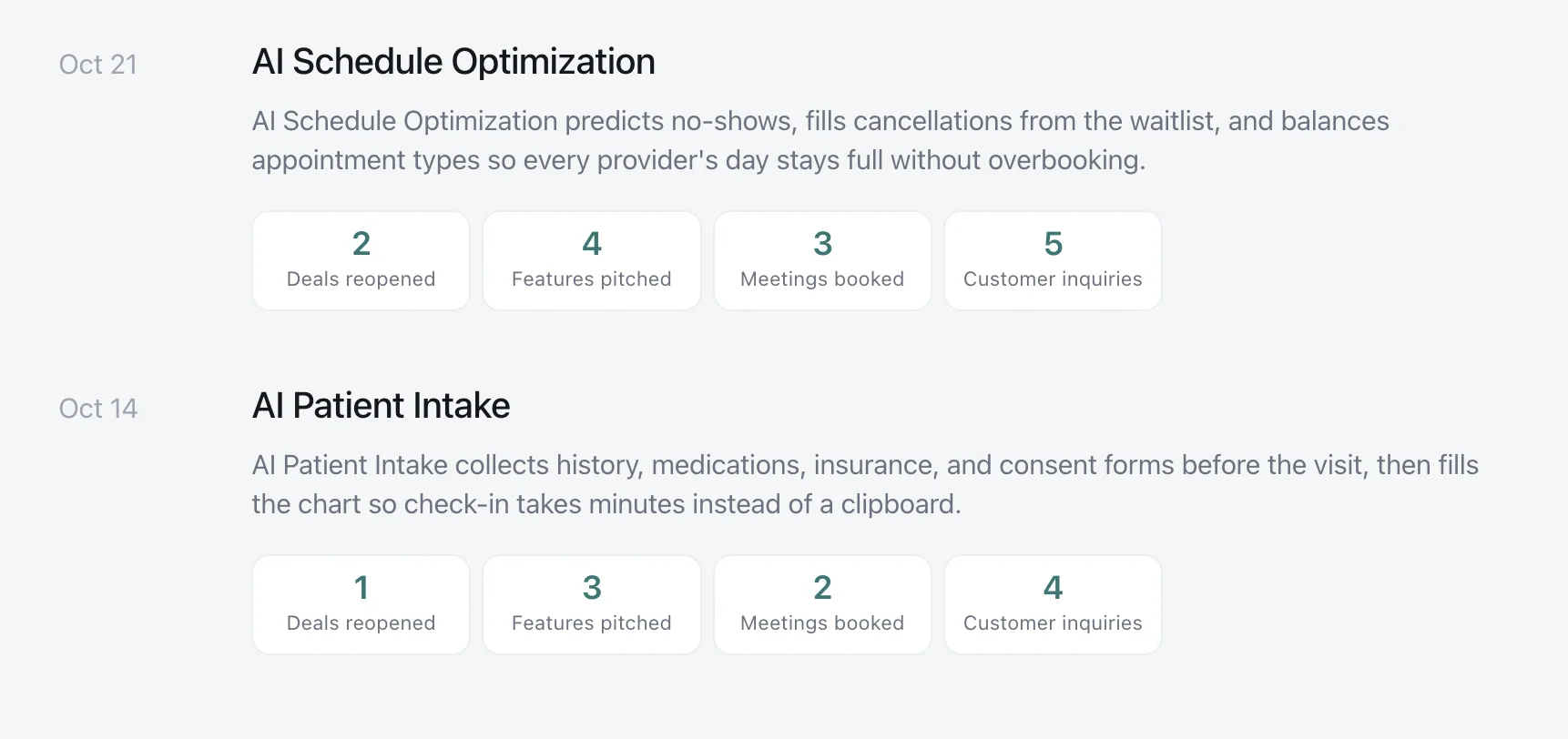
Capture each feature request from your Fathom calls, match the account to its open deal in your CRM, and add up deal value per request. Arkweaver does this automatically, so two customers worth $60K each asking for the same thing becomes one $120K line item.
Most feature requests die in a call summary or a Slack thread. Product can’t prioritize what it can’t see, and Sales can’t tell the customer when it ships.
How it works in Arkweaver:
- It pulls the requests out of every Fathom call and groups the same ask from different customers.
- It attaches open deal and account value from Salesforce, HubSpot or Attio.
- When the feature ships, it tells the customers who asked and alerts the reps who own those deals.
See which products your reps aren’t pitching → Schedule a demo
Frequently asked questions
Do we need an API key for Fathom?
No. Fathom connects over OAuth. You click "Connect Fathom" in Group Settings, approve access on Fathom’s side, and land back in Arkweaver showing "Connected".
Does Arkweaver pick up calls recorded before we connected?
Yes. Arkweaver backfills your recent history on connection and keeps pulling new calls automatically after that.
What has to be operated by hand once Fathom is connected?
Nothing downstream. The revenue scoring, the customer follow-up, and the ROI tracking all run on their own. You configure thresholds and templates, but you do not run any of it manually.
Which sales enablement platforms integrate with Fathom?
Arkweaver connects to Fathom over OAuth and turns your calls into revenue-ranked feature demand, customer follow-up when features ship, and enablement materials built from real customer quotes.
Does Arkweaver replace Fathom?
No. Fathom records and summarizes your calls. Arkweaver reads them to connect customer requests to your roadmap, your deals, and the people who should hear when a feature ships.